An invoice is matched and paid or held. See which step's setting changed, and which input did.
A supplier's invoice is read, matched against its purchase order and goods receipt within a price tolerance, and then paid or held. When a payment flips, the comparison names the step where the record first differs, and whether a setting or an input changed there.
Invented example data, recorded when the demo was built. The demo records and compares; it controls nothing. The screenshots are from a build of the same demo: each build gives its runs new fingerprints and times, so those differ from the live demo's, and what the screenshots show is the same.
The pipeline
Three steps, from an invoice to a payment decision.
read_invoicereads the invoice's line: item, quantity and unit price.matchmatches it against the purchase order and the goods received, within a price tolerance, and lists each problem it finds.approve_paymentpays a matched invoice and holds one with problems, and declines an amount over the approver's limit.
What the demo plants
The runs, and what was changed in each.
| Run | What was changed |
|---|---|
p8-42-invoice-tolerance-2pct | Nothing: the baseline, with a 2.00% price tolerance. The unit price is 12.80 against the order's 12.50, so the invoice is held. |
p8-43-invoice-tolerance-5pct | match's price_tolerance, 2.00% to 5.00%. |
p8-44-invoice-quantity-changed | On top of p8-43, the invoice's quantity, 40 to 400, where 40 were received. |
p8-45-invoice-over-limit-declined | An invoice of 3840.00, over the approver's limit of 2500.00. |
What onetrace shows
Each change, located in the record.
The tolerance change: first difference at match, and the payment flips
read_invoice is the same in both runs. match is the first difference, and the page names its setting: price_tolerance, 2.00% to 5.00%. The unit price that was 2.40% over the order is now inside the tolerance, so match finds no problem, and approve_payment pays where it held.
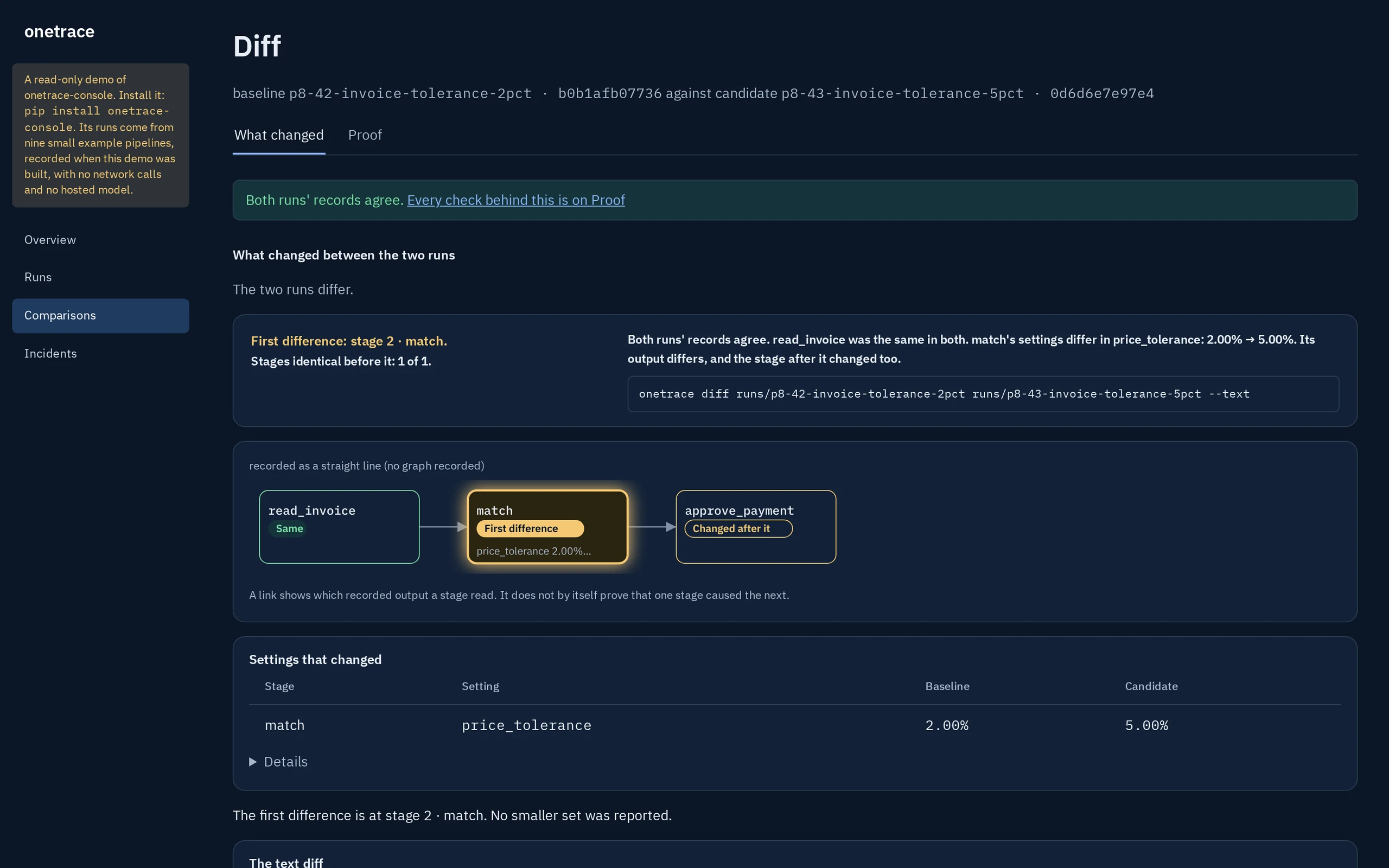
match, with the setting named.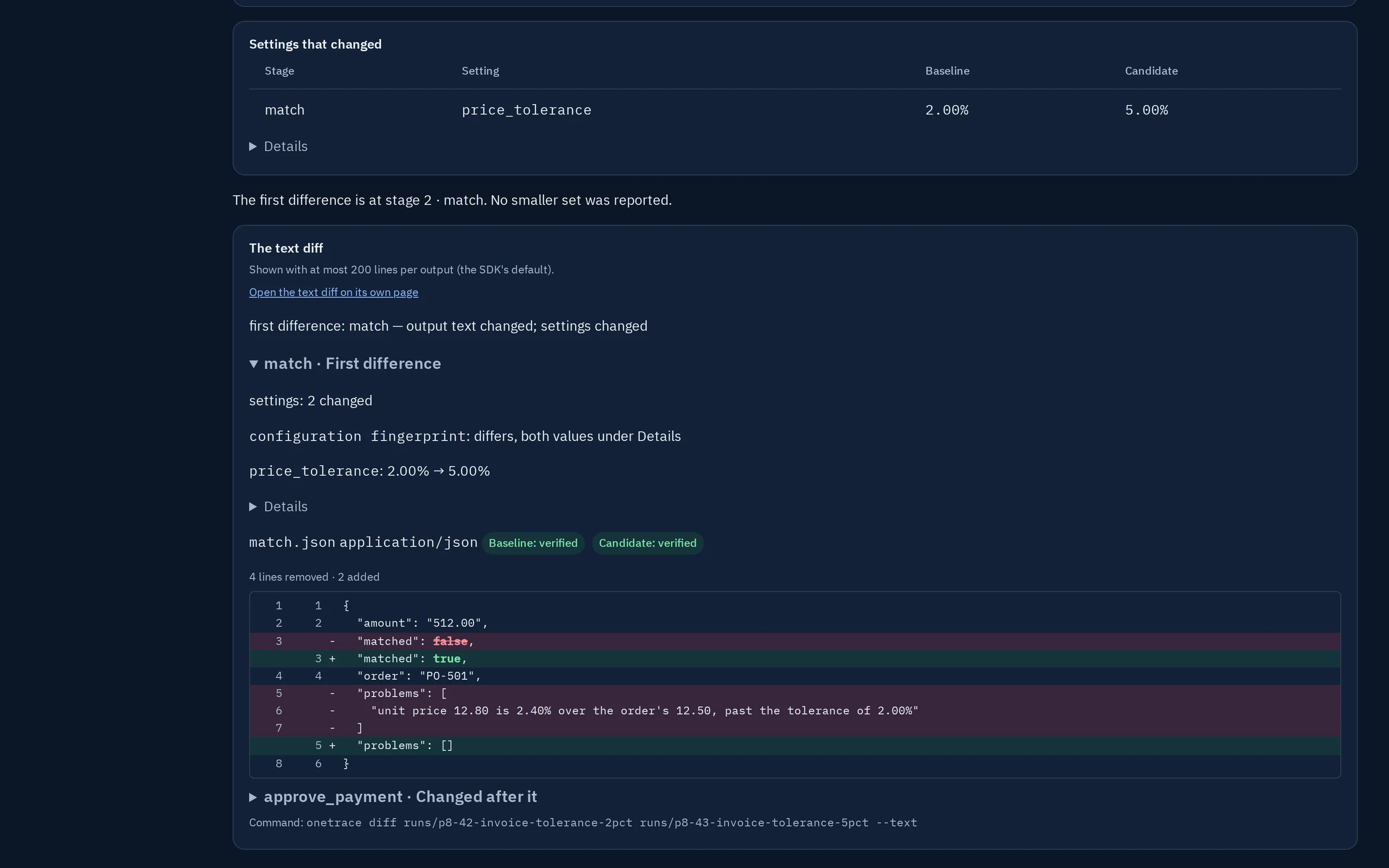
The quantity change: an input, not a setting
Against the paid run, the invoice itself differs: 400 where it read 40. No setting of read_invoice changed, so the run's page says the first difference is at read_invoice, from its input. match now finds that 400 were invoiced and 40 received, and the payment is held again.
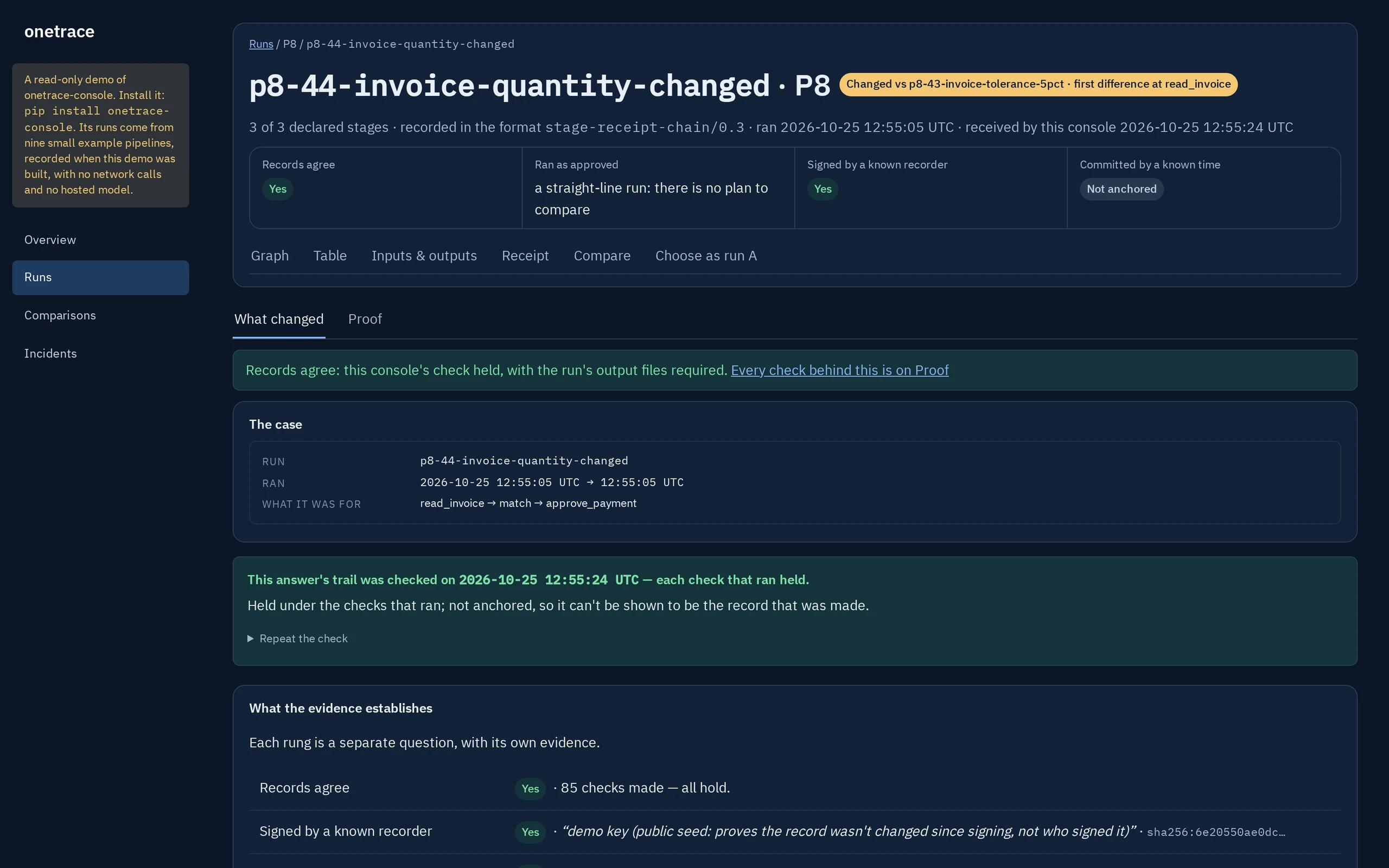
read_invoice.Over the approver's limit: declined by its own rule
approve_payment declines an invoice of 3840.00, over the approver's limit of 2500.00, and records why. The run's page says it stopped there, by the step's own rule, and that no declared step was left without a receipt.
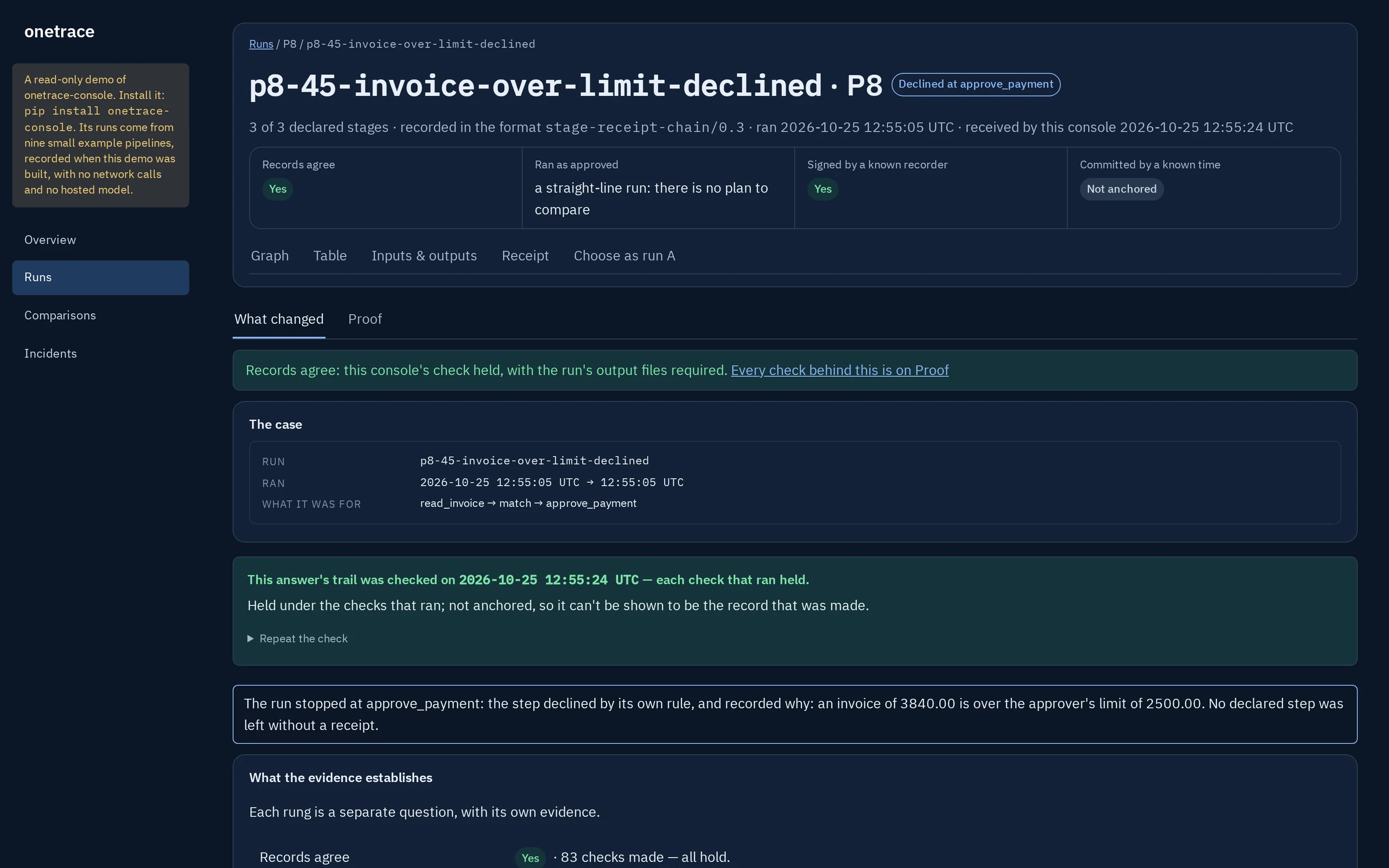
approve_payment, with its reason.What it doesn't say
A located change, not a reason.
The comparison says where the two records first part ways, and whether a setting or an input changed there. It doesn't say whether a 5% tolerance is right, or whether the invoice should have been paid. See what each verdict means and what onetrace does not claim.
Try it yourself: this pipeline in the live demo, or on your machine with pip install onetrace-console and onetrace-console demo --open.