A vibration reading becomes a work order. Find where the record first differs.
A pump's vibration sensor sends a short series of readings. The pipeline calibrates them, measures the vibration, checks it against a limit, decides whether to inspect, and books a work order. When a setting changes along the way, the comparison names the step where the record first differs.
Invented example data, recorded when the demo was built. The demo records and compares; it controls nothing. The screenshots are from a build of the same demo: each build gives its runs new fingerprints and times, so those differ from the live demo's, and what the screenshots show is the same.
The pipeline
Six steps, from sensor readings to a booked inspection.
readingstakes the sensor's readings, a short series of vibration values.calibratetakes off the sensor's offset, a setting of its tool.featurescomputes the series' RMS and peak.anomaly_checkcompares the RMS with a fixed limit of 280 mg.decisionasks for an inspection where the limit is passed.work_orderbooks it, and by its own rule declines a slot outside the maintenance window, 02:00 to 04:00.
What the demo plants
The runs, and what was changed in each.
| Run | What was changed |
|---|---|
p5-32-pump-baseline | Nothing: the baseline. |
p5-33-pump-offset-changed | The calibration offset, a setting of calibrate's tool. |
p5-34-pump-firmware-changed | The sensor's firmware version, 3.1 to 3.2. Its readings are the same. |
p5-35-pump-outside-window-declined | An inspection asked for at 14:00, outside the maintenance window. |
What onetrace shows
Each change, located in the record.
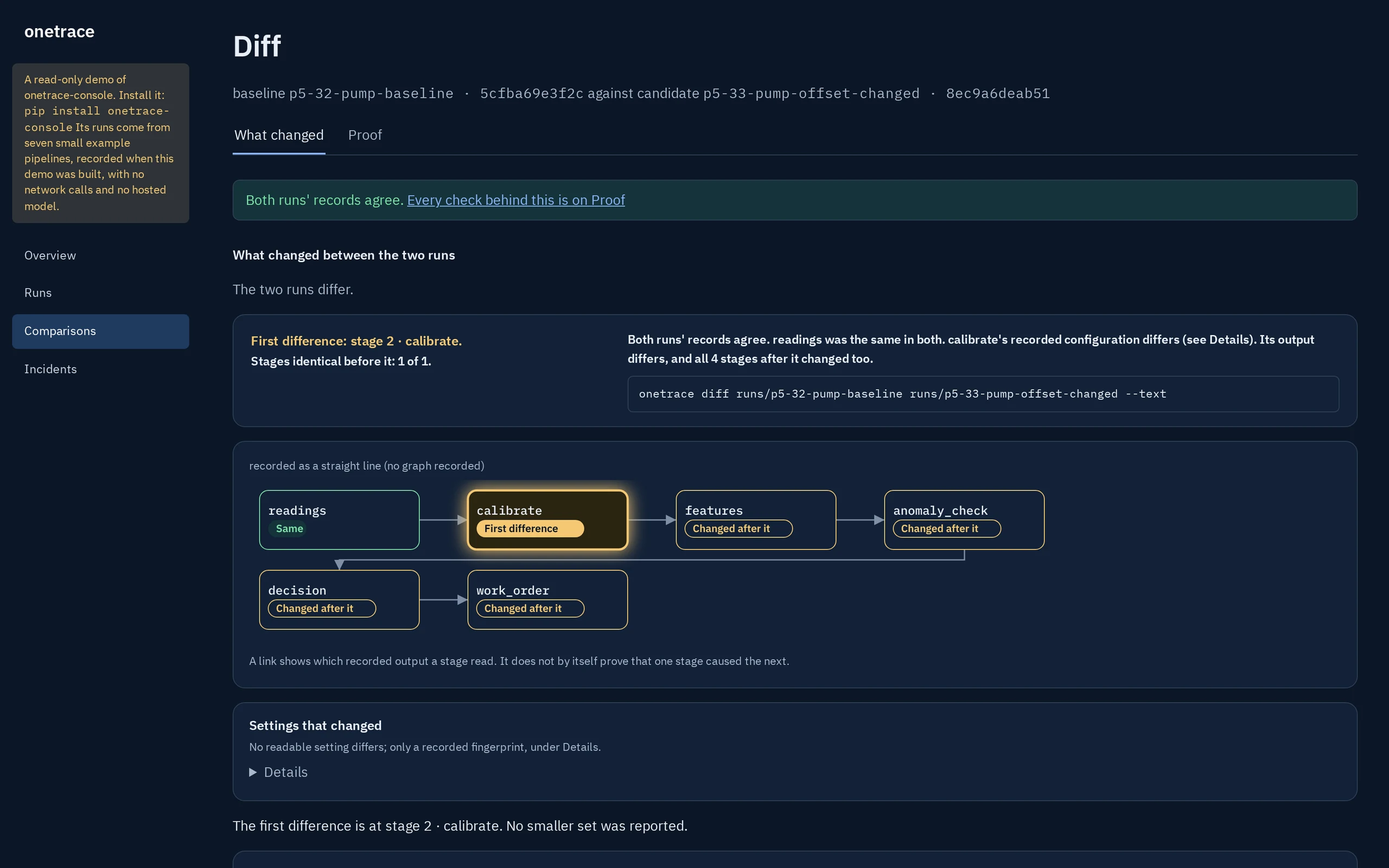
The offset change: first difference at calibrate
Every calibrated reading moves by 40 mg, so calibrate is the first step whose output differs, and the four after it change too. The offset sits inside the tool's configuration, so the page shows that configuration's fingerprint differing, not a named setting. Downstream, the RMS reads 297 mg where it read 296; both are above the 280 mg limit, so both runs ask for an inspection, and the work order's reason changes with it.
calibrate.The firmware change: a setting moved, the outputs did not
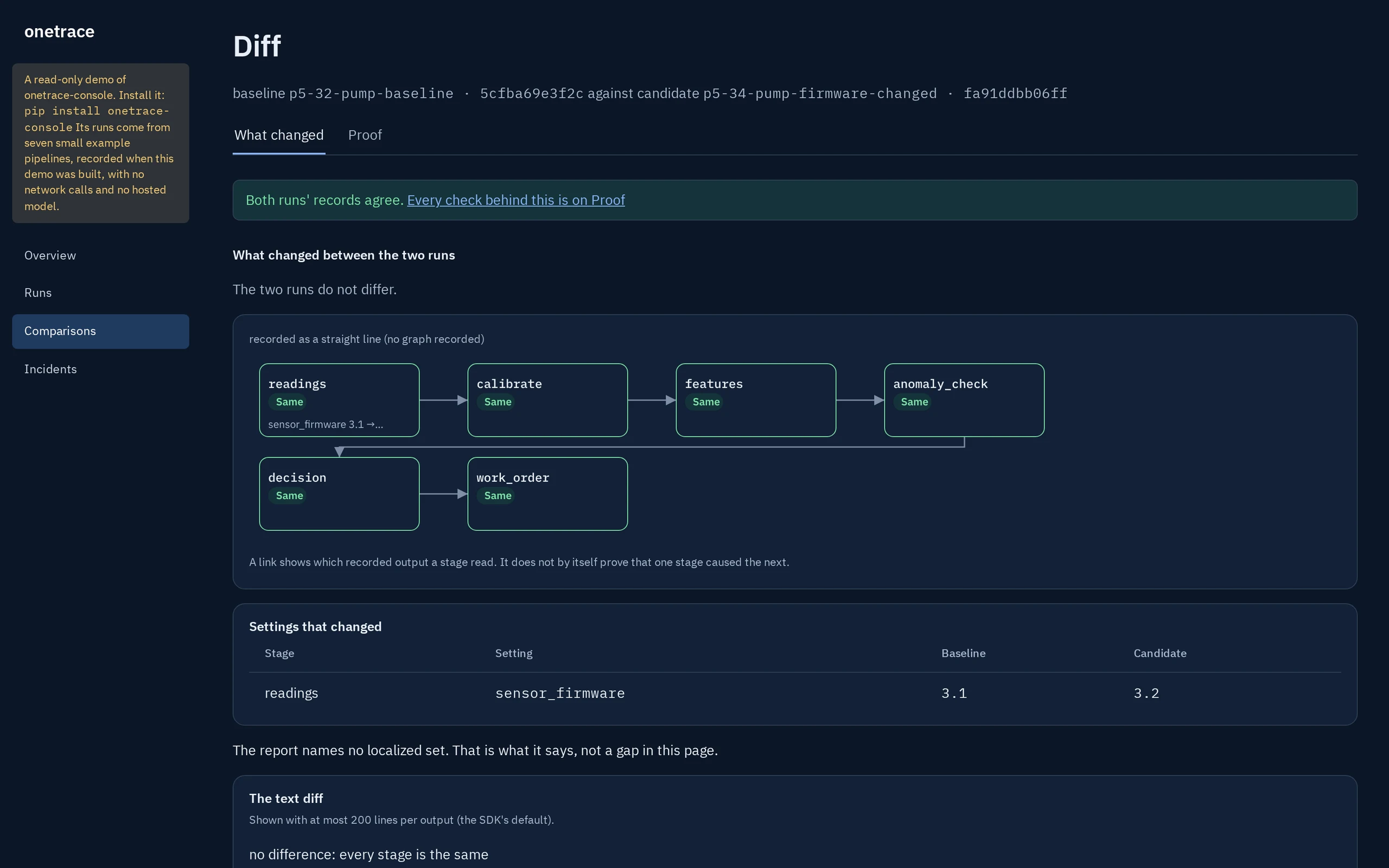
The firmware version is recorded as a setting of readings, so the page names it, 3.1 to 3.2. Every step's output is the same in both runs, so every step reads Same, and the comparison says the two runs do not differ. A changed setting is shown even when nothing it touches moves.
The declined slot: a run that stops by its own rule
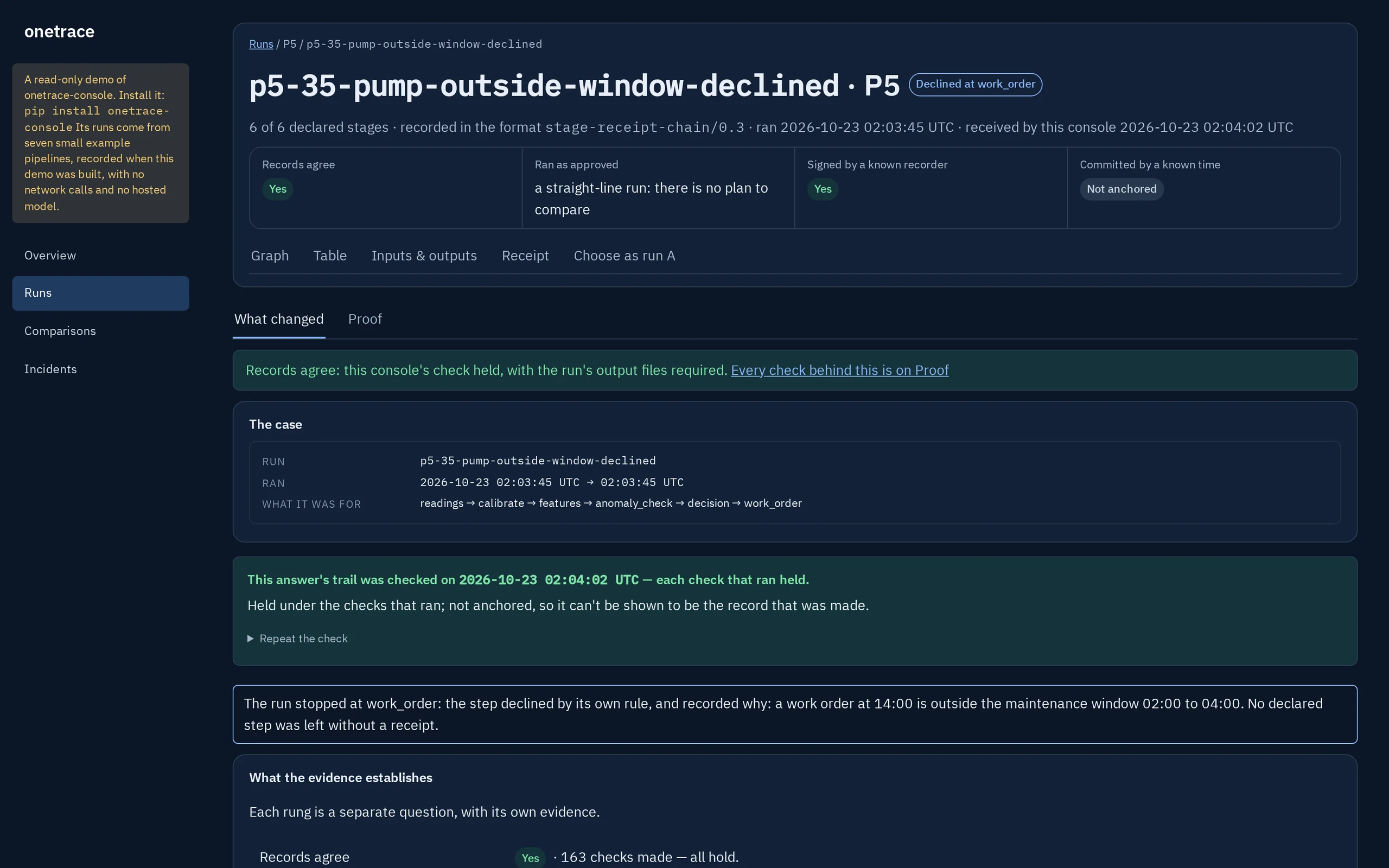
work_order declines a slot at 14:00 and records why. The run's page says it stopped there, by the step's own rule, and that no declared step was left without a receipt.
work_order, with its reason.What it doesn't say
A located change, not a reason.
The comparison says where the two records first part ways and what was recorded there. It doesn't say why a reading moved, or whether an inspection was the right call. See what each verdict means and what onetrace does not claim.
Try it yourself: this pipeline in the live demo, or on your machine with pip install onetrace-console and onetrace-console demo --open.